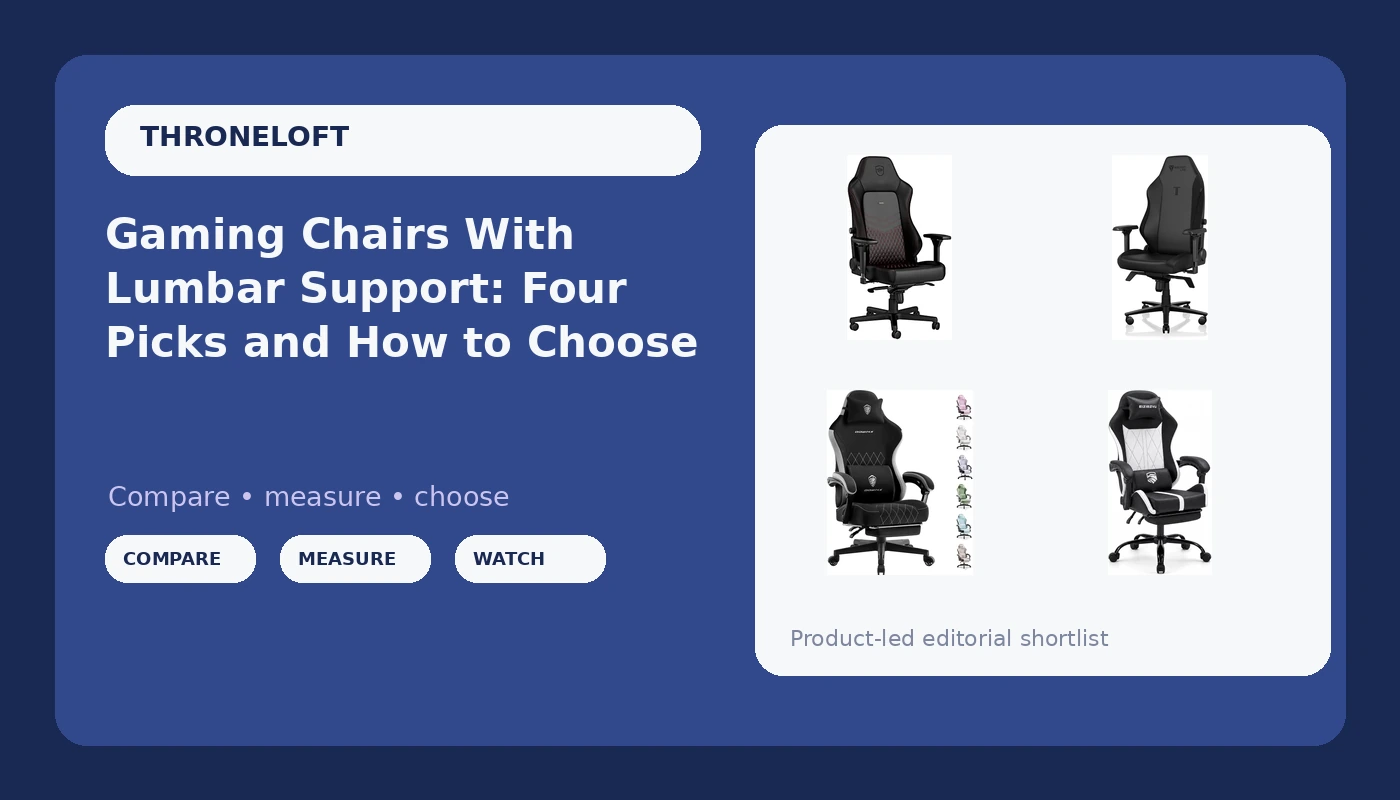
Most people buy a chair for how it looks in the stream overlay, then sit in it for six hours and find out what they actually bought. I have coached players through full scrim days for years, and the difference between a chair you forget about and a chair that ends your evening is almost never the color scheme. If you are comparing gaming chairs with adjustable lumbar support, the real question is whether the support can be moved to match your spine or whether it is a fixed bump that happens to land somewhere near your lower back. This guide covers four chairs at very different points on that spectrum, from budget recliners with footrests to a premium XL build, and the fit checks I run before I let a player commit.
Related: Mesh vs Leather Gaming Chairs: Which One Holds Up in a Long Session →
Quick answer
Adjustability and fit come before materials and looks. If you want the largest seat and premium upholstery and you are ready to pay for it, the Secretlab Titan Evo XL is the chair I point serious players toward. If you want real leather and something that also reads as office furniture, the noblechairs Hero names lumbar support in its listing. If budget is the deciding factor and you want to put your feet up, the Dowinx and the mid-back chair both include a footrest, with the mid-back model adding a headrest, a lumbar pillow, a 90 to 135 degree recline, and a 360 degree swivel base. Whichever you pick, measure your desk and your own seated height before you order, because a chair that fits the room but not your body is still the wrong chair.
Four useful options
| Model | Best fit | What stands out |
|---|---|---|
| Secretlab Titan Evo XL Black Gaming Chair | Players who want the largest seat and are willing to pay for premium materials | XL sizing, leatherette upholstery, ergonomic build |
| noblechairs Hero Gaming Chair/Office Chair | Buyers who want real leather and a chair that works in an office too | Real leather, lumbar support named in the listing, black and red finish |
| Dowinx Gaming Chair with Footrest | Long sessions where you want to put your feet up without a separate ottoman | Integrated footrest on an ergonomic desk chair frame |
| Mid Back Gaming Chair with Footrest | Smaller rooms and shorter sessions where a full high back is overkill | 90 to 135 degree recline, headrest and lumbar pillow, height adjustable, 360 degree swivel |
The premium pick: Secretlab Titan Evo XL Black Gaming Chair
The trade-off with an XL chair is space. Measure the footprint before you buy, and measure your desk height too, because a bigger seat usually pairs with a taller gas lift range, and you want your elbows landing near desk level rather than floating above it or dropping below it. Leatherette is the other compromise. It wipes clean and holds its shape, but it does not breathe the way mesh does, and if you play in a warm room through a Los Angeles summer you will notice. I still recommend it to players who want one chair that will outlast two cheaper ones, because the cost per year math tends to favor buying once.
The real-leather alternative: noblechairs Hero Gaming Chair/Office Chair
Real leather is a maintenance commitment. It wants occasional conditioning, it does not like direct sun, and it is heavier than fabric, which matters if you move your setup around. In exchange you get a surface that ages rather than peels. The thing I would verify before buying is how that lumbar support behaves in practice: a support you can raise or lower to sit in the curve of your lower back does real work, while a fixed bump that lands in the wrong place is worse than nothing. That distinction is the single biggest gap between a chair that helps and a chair that just looks supportive.
The budget-friendly ergonomic option: Dowinx Gaming Chair with Footrest
Here is the honest coaching note about footrests. They are excellent for recovery, for the ten minutes between scrim blocks when you want your legs elevated and your lower back unloaded. They are a bad default for working posture, because the comfortable position is usually a reclined one, and reclining with your feet up puts your pelvis in a posterior tilt that flattens the lumbar curve you are trying to protect. Use the footrest the way you would use a standing desk: as a change of position, not as the position.
The compact mid-back option: Mid Back Gaming Chair with Footrest
Two details deserve a closer look. First, the lumbar pillow is a cushion, not a mechanism, so its support depends entirely on where you place it, and it will shift as you move unless you reset it. Second, the listing describes linked armrests, which typically means they follow the backrest rather than adjusting independently, so your elbows may not land where you want them relative to the desk. Neither is a dealbreaker at this end of the market. Both are the kind of thing that separates a chair you tolerate from a chair that fits, and both are reasons to sit in it properly during the return window rather than after.
Prices and availability may change. Product images, names, and retailer links must be matched by verified ASIN. Do not state a current price, rating, stock status, or measured result without current evidence.
What adjustable lumbar support actually does
Your lower back has a natural inward curve, and when you sit with your pelvis rolled back, that curve flattens and the discs and muscles around it take load they were not designed to carry for hours. Lumbar support exists to hold that curve while you sit. The catch is that the correct position is not universal. It depends on your torso length, your seat depth, and how far back you sit in the chair, which is why a fixed bump molded into the backrest helps some people and hurts others.
That is the difference between support you can adjust and support that is decoration. A support you can raise, lower, or change in depth can be tuned to the point where you feel it holding rather than poking. A pillow can do part of that job if you are willing to reposition it, and a molded bump cannot do it at all. Before you commit to any chair, sit in it and ask one question: does the support sit in the small of my back, or somewhere near it? "Somewhere near" is the answer that turns into a sore Monday.
Seat depth, height range, and the fit check
Seat depth is how far the seat pan extends behind your knees. If it is too long, the front edge presses into the back of your legs and you slide forward to escape it, which throws away your lumbar curve. If it is too short, your thighs hang off the front and your weight lands on a smaller area than it should. The rough target is a gap of about two to three fingers between the front edge and the back of your knee.
Height range matters just as much, because the chair has to put your elbows near desk height and your feet flat on the floor. A chair with a tall lift range in a short room, or a short range under a tall desk, will fight you every session. Here is the sequence I run with players before they buy anything:
- Sit with your feet flat and check that your knees land at roughly a right angle, not above your hips.
- Slide your hips to the back of the seat and confirm the lumbar support meets your lower back, not your mid back.
- Raise or lower the chair until your forearms rest level with the desk surface and your shoulders drop.
- Check that the armrests let your elbows sit close to your sides without pushing your shoulders up.
- Stay in that position for a full session, then notice whether you have started sliding forward or slouching to get comfortable.
If you fail step two or step five, the chair is the problem, not your discipline.
What to check before you buy
- Confirm the seat depth against your own thigh length, not the average listed in a spec sheet.
- Confirm the height range works with your specific desk, measuring both rather than estimating.
- Decide whether you want a pillow, a molded bump, or an adjustable mechanism, because they behave differently over six hours.
- Check how the armrests adjust, since armrests that only move up and down rarely put your elbows where they need to be.
- Think about material and climate together, because leather and leatherette run warmer than mesh in a hot room.
Which option should you choose?
Choose the Secretlab Titan Evo XL Black Gaming Chair when you are tall or broad, you want the biggest seat in this group, and you would rather buy once at a premium than replace a cheap chair twice. Choose the noblechairs Hero Gaming Chair/Office Chair when real leather and an office-appropriate look matter to you, and you want a listing that names lumbar support directly. Choose the Dowinx Gaming Chair with Footrest when you want a reclining desk chair with a footrest at the value end. Choose the Mid Back Gaming Chair with Footrest when your room is small, your sessions are shorter, and you want a headrest and lumbar pillow included without paying premium money.
A caveat worth stating plainly: this guide compares what the listings describe, not measured results from a lab. I have not sat in every one of these for a full eight-hour scrim, and the ergonomic guidance here is general posture education rather than a guarantee about any single product. Treat the fit check as the real test, and use the return window if the chair fails it.
The bottom line
The chair that supports you is the one whose lumbar support lands in the right place and stays there, whose seat depth matches your legs, and whose height range puts your elbows at desk level. Everything else, the colorway, the racing silhouette, the badge on the side, is decoration. Start with the fit checks, decide whether you want a pillow or an adjustable mechanism, then pick from there. If you want the largest seat and premium materials, the Titan Evo XL is where I would look first. If real leather and an office-ready look matter more, the Hero is the one to open. And if the budget decides, both footrest models get you a reclining chair for far less, as long as you use that recline as a break rather than as your working posture.