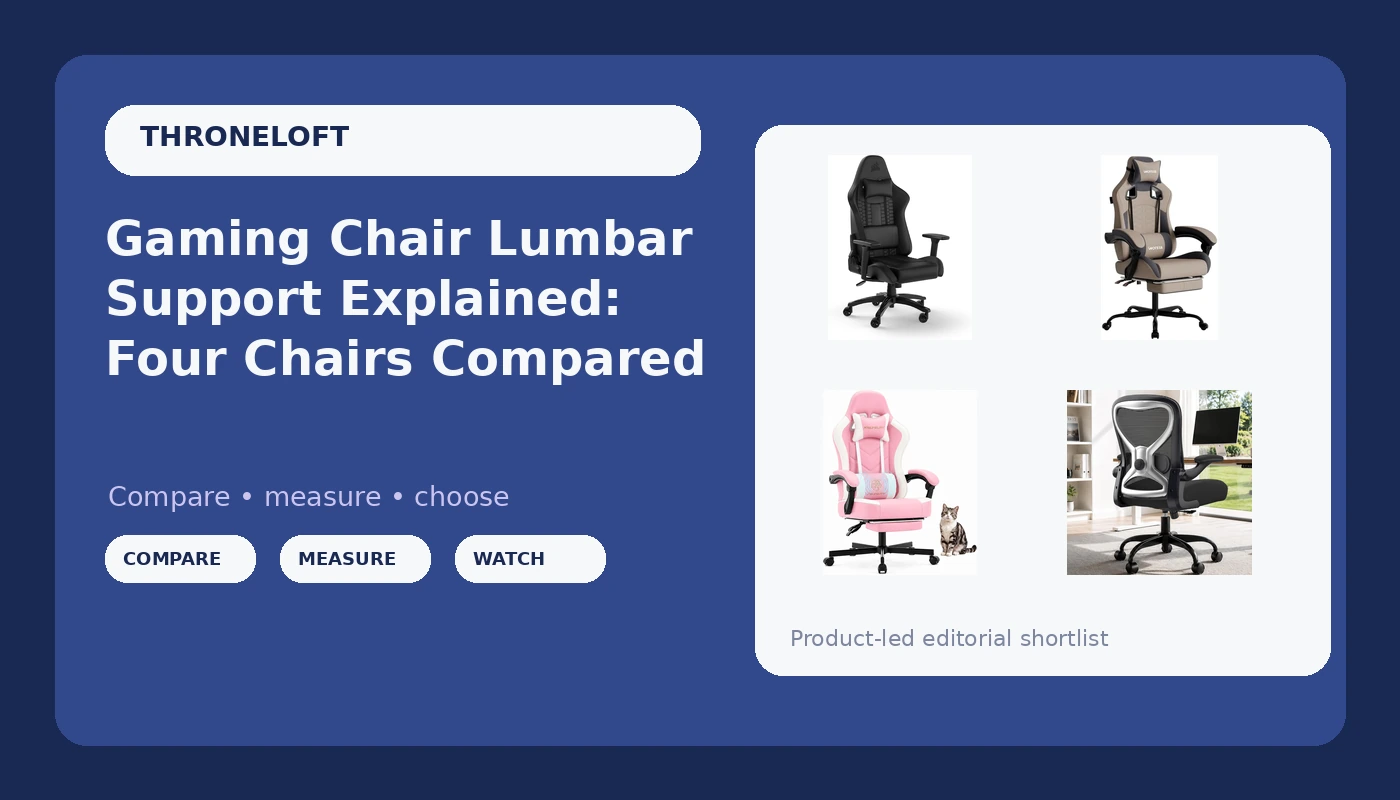
Gaming chair lumbar support is the spec that decides whether hour six feels like an ordinary evening or like a warning sign. Most buyers compare frames, colors, and racing stripes, then discover that the part touching their lower back is a fixed bump that fits nobody in particular. The chairs that survive a full scrim day are the ones whose back support can be moved to match the person sitting in it, and that is the question this guide runs every option through. The four chairs here sit at very different points on that spectrum: one leans on a racing-inspired shell with a lumbar pillow, one adds massage and a footrest, one pairs a four-way lumbar panel with a thick cushion, and one brings a pocket spring seat in at a budget price. Below is what each one offers, who it fits, and where the trade-offs land.
Related: Mesh vs Leatherette Gaming Chairs: Which Material Survives Summer →
Quick answer
The chair worth prioritizing depends on what your lower back needs after hour six. If you want the most adjustable back support of the four, the Ergonomic Home Office Chair with a four-way lumbar panel and a 330 lb listed capacity is the most direct fit. If you want recline, a footrest, and a massage function in one package, the grey high-back model covers that. If the racing silhouette matters to you, the Corsair TC100 Relaxed pairs a lumbar pillow with a detachable memory foam neck pillow and adjustable armrests. If budget sets the ceiling, the Mistpeople chair bundles lumbar support, a footrest, and a pocket spring cushion at the lowest entry point here.
Four useful options
| Model | Best fit | What stands out |
|---|---|---|
| Corsair TC100 Relaxed Gaming Chair | Players who want the racing silhouette | Lumbar pillow plus detachable memory foam neck pillow, adjustable seat height and armrests |
| Gaming Chair with Massage (Grey) | Long, reclined sessions | Built-in massage, footrest, headrest and lumbar support, 300 lb listed capacity |
| Ergonomic Home Office Chair, 4-Way Lumbar | Desks where a racing chair looks wrong | Four-way lumbar adjustment with a thick cushion, 330 lb listed capacity |
| Mistpeople Gaming Chair | Tight budgets that still want a footrest | Lumbar support, pocket spring cushion, high back, swivel base |
The racing-style option: Corsair TC100 Relaxed Gaming Chair - Leatherette - Racing-Inspired Design - Lumbar Pillow - Detachable Memory Foam Neck Pillow - Adjustable Seat Height - Adjustable Armrests - Black
A pillow behind the lower back is the classic compromise, and it is better than it sounds. Because it is a separate piece, you can move it up or down until it lands against your actual lumbar curve, which is more than a molded bump allows. The catch is that a pillow compresses over a long session and does not lock in place the way a ratcheted panel does, so you may find yourself re-seating it between matches. The detachable neck pillow is genuinely useful for reclined viewing and easy to remove when you want your head free.
The feature-loaded option: Gaming Chair with Massage,Ergonomic PC Gaming Chair with Footrest Comfortable Headrest and Lumbar Support, High Back, 300LBS (Grey)
The massage function and the footrest are the two features that separate this chair from the rest of the list, and both are comfort features rather than support features. The motor works on surface tension in the backrest, and the footrest changes your leg angle when you recline. Support comes from the headrest, the lumbar cushion, and the high back, backed by that listed capacity. If you want one chair that doubles as a recliner for controller play, this is the shape that does it. If you want a lumbar panel you can dial in with a lever, look at the office-style option below instead.
The adjustable-lumbar option: Ergonomic Home Office Chair, 4-Way Lumbar, Thick Cushion, 330LBS
Four-way adjustment is the phrase to pay attention to, because it means the panel moves in more than one direction instead of offering a single fixed curve. That matters if your lower back wants pressure slightly higher or lower than an average mold assumes, which is most people. The trade-off is aesthetic: this is an office chair, so it will not match a cockpit-style desk setup, and the thick cushion is foam rather than mesh. For anyone who spends more hours working at the desk than playing, the support geometry is the more useful half of the purchase.
The budget option: Mistpeople Gaming Chair, Ergonomic High Back Computer Chair with Footrest, Lumbar Support & Pocket Spring Cushion, Comfortable Swivel Home Office Desk Chair for Adults
Individually sprung seats are more common in mattresses and car seats than in budget gaming chairs, and the point of the design is to spread pressure instead of compressing into one flat spot over months. What you give up at this price is refinement rather than features: expect the lumbar support to be a cushion rather than an adjustable panel, and plan on checking the armrests and base for wobble within the first few weeks. For a first chair or a second setup, the feature list is hard to argue with.
Prices and availability may change. Product images, names, and retailer links are matched to verified listings. No current price, rating, stock status, or measured result is stated here without current evidence.
What adjustable lumbar support actually means
Lumbar support comes in three flavors, and only one of them is worth paying extra for. The first is a molded bump built into the backrest, which gives you a fixed curve that either matches your spine or does not, with nothing you can do about it either way. The second is a pillow, which you can move up and down, and sometimes forward, but which compresses as the session runs on and rarely stays exactly where you left it. The third is an adjustable panel moved by a lever or a dial, which holds its position and can be raised or lowered until it meets your lower back rather than an average lower back. A four-way panel adds depth and angle to that adjustment. If your back aches after two hours, the fix is usually more adjustment, not more padding. Thicker foam feels better in the showroom and flatter by month three.
The fit checks that matter more than the color
Two numbers decide whether a chair works for you before any feature does: your height and your weight against the listed capacity. Seat depth comes first, because a seat that is too long for your thighs pushes you forward until your lower back loses contact with the backrest entirely, while a seat that is too short leaves your thighs hanging. Armrests come next. Ones that only go up and down force your shoulders into whatever height the chair decides, which is how players end up with tension between the shoulder blades. Tilt tension and a lockable recline angle matter too, since a chair that only reclines or only sits upright takes the choice away from you. Materials come last, and for anyone playing more than a couple of hours a day, breathability affects comfort more than the label on the upholstery.
- Measure from the back of your knee to your hip and compare it against the listed seat depth before you buy.
- Decide whether you need a movable lumbar panel or whether a repositionable pillow will do, based on how long your sessions run.
- Check the listed weight capacity against your own weight with room to spare, especially on a chair with a footrest you plan to lean into.
- Confirm the armrests adjust in more than one direction if you type or use a keyboard at the desk.
- Confirm the tilt can be locked at an angle you can actually hold for hours, not just fully upright or fully reclined.
Setting the chair up once it arrives
- Set seat height so your feet rest flat and your knees sit roughly level with your hips.
- Raise or lower the lumbar support until it presses into the curve above your belt line, not into your ribs.
- Set armrest height so your shoulders stay down when your hands are on the keyboard.
- Lock the recline a few degrees back from upright for long sessions, and unlock it when you take breaks.
- Recheck the base and armrest bolts after the first week, since a wobble caught early is a wobble you can fix.
Which option should you choose?
Choose the Corsair TC100 Relaxed Gaming Chair when you want the racing silhouette and a lumbar pillow you can reposition by hand. Choose the Gaming Chair with Massage when recline, a footrest, and a massage function matter more to you than an adjustable lumbar panel. Choose the Ergonomic Home Office Chair, 4-Way Lumbar when your lower back needs support you can dial in and the racing look is not a requirement. Choose the Mistpeople Gaming Chair when the budget is tight and you still want a high back, lumbar support, and a footrest.
None of these listings publishes a measured lumbar height or seat depth, so the fit checks above still have to be run against your own body. Listed weight capacities are manufacturer figures, and comfort descriptions on any of these pages describe design intent rather than a tested result.
The bottom line
A gaming chair is a chair first. These four cover the range from a racing-inspired shell with a repositionable pillow to an office-style chair with a four-way lumbar panel, and the right one is whichever you can adjust until it stops pressing in the wrong place. If your lower back is the priority, put adjustment ahead of padding. If your sessions are long and reclined, put a footrest and a lockable tilt ahead of the badge on the backrest. Check current Amazon price on the one that matches your body and your desk, and give yourself a week of tuning before you decide it was the wrong call.