Related: The Lumbar Check I Run Before I Recommend Any Chair
I have coached players through herniated disc scares, and I have gone through more gaming chairs than I have trophies. Most of them failed for the same reason: nobody checked the fit. That is what this gaming chair fit guide is for. A chair is furniture first and a gaming product second, and if it does not hold your back at hour six of a scrim day, it is a decoration with wheels.
Four things decide whether a chair survives an eight hour session: lumbar support you can actually adjust, seat depth that matches your thigh length, tilt tension you can lock at a healthy angle, and armrests that move in more than one direction. Everything else, the stitching, the colorway, the racing stripes, is marketing.
Here is how the gear I would put in a serious 2026 setup stacks up, including the desk that keeps you out of the chair for part of the day, which matters more than any single chair.
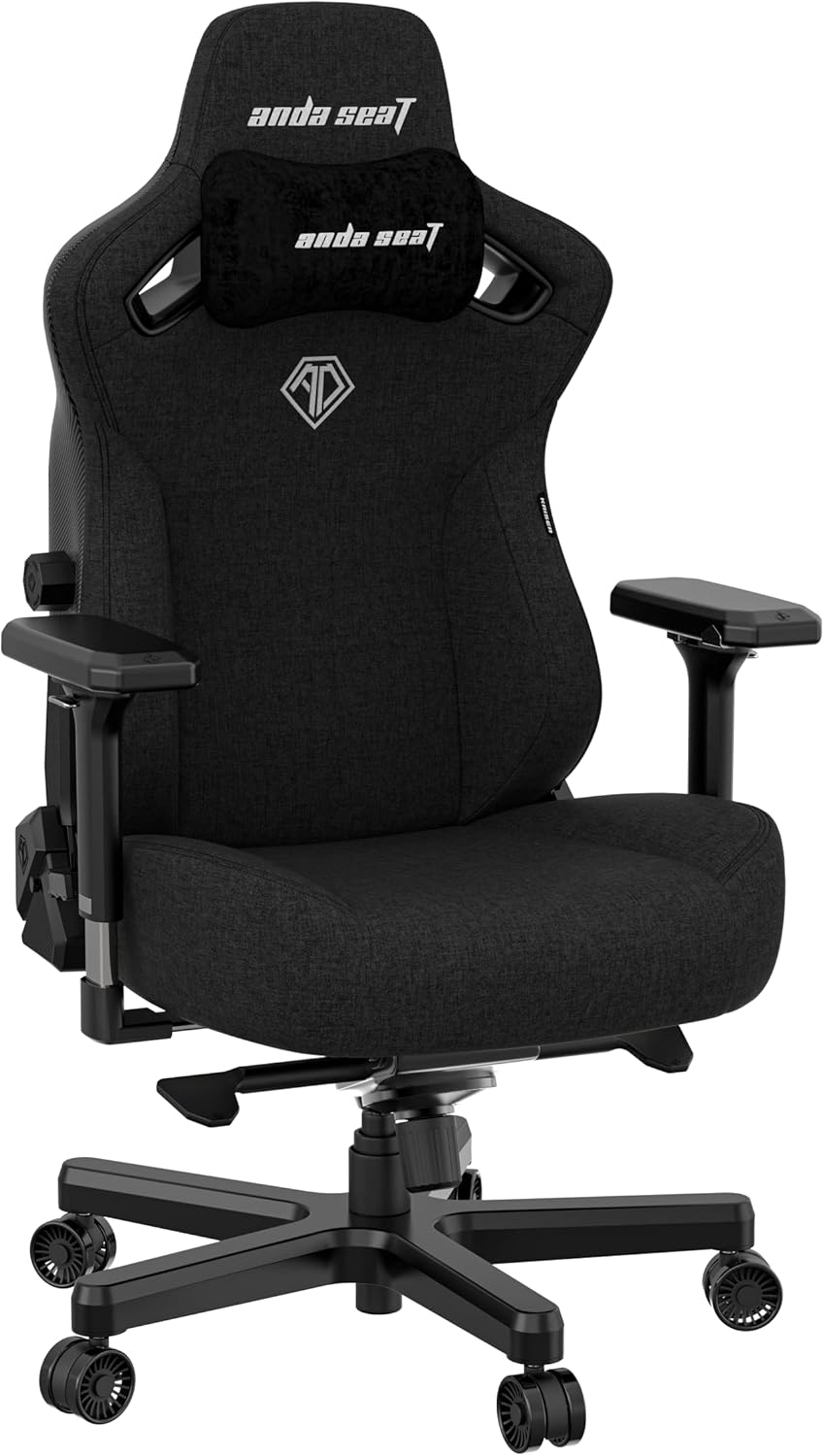
Best Overall: Anda Seat Kaiser 3 Large Gaming Chair
This is the chair I would hand to an adult player who has outgrown the look of a budget seat. It is built as a heavy duty, wide computer seat in black fabric, with lumbar support and neck support called out as part of the design. Wide matters more than people admit. If your shoulders hang off the edges of a narrow backrest, you round forward to find support that is not there, and that is how a twelve hour day turns into a Monday morning you cannot turn your head.
Fabric is the other reason this sits at the top. I will take fabric over leather every time for anyone who plays more than two hours, because leather and hot rooms do not mix, and a sweaty back slides out of contact with the lumbar curve. Fabric breathes and it grips.
The one thing I want you to verify before you commit is the lumbar. A chair in this class should let you move that support up and down until it lands on the curve of your lower back, not somewhere near it. A fixed bump in a wide seat hits a different spot on every spine, and if it misses yours, you will spend the whole session fighting the chair.
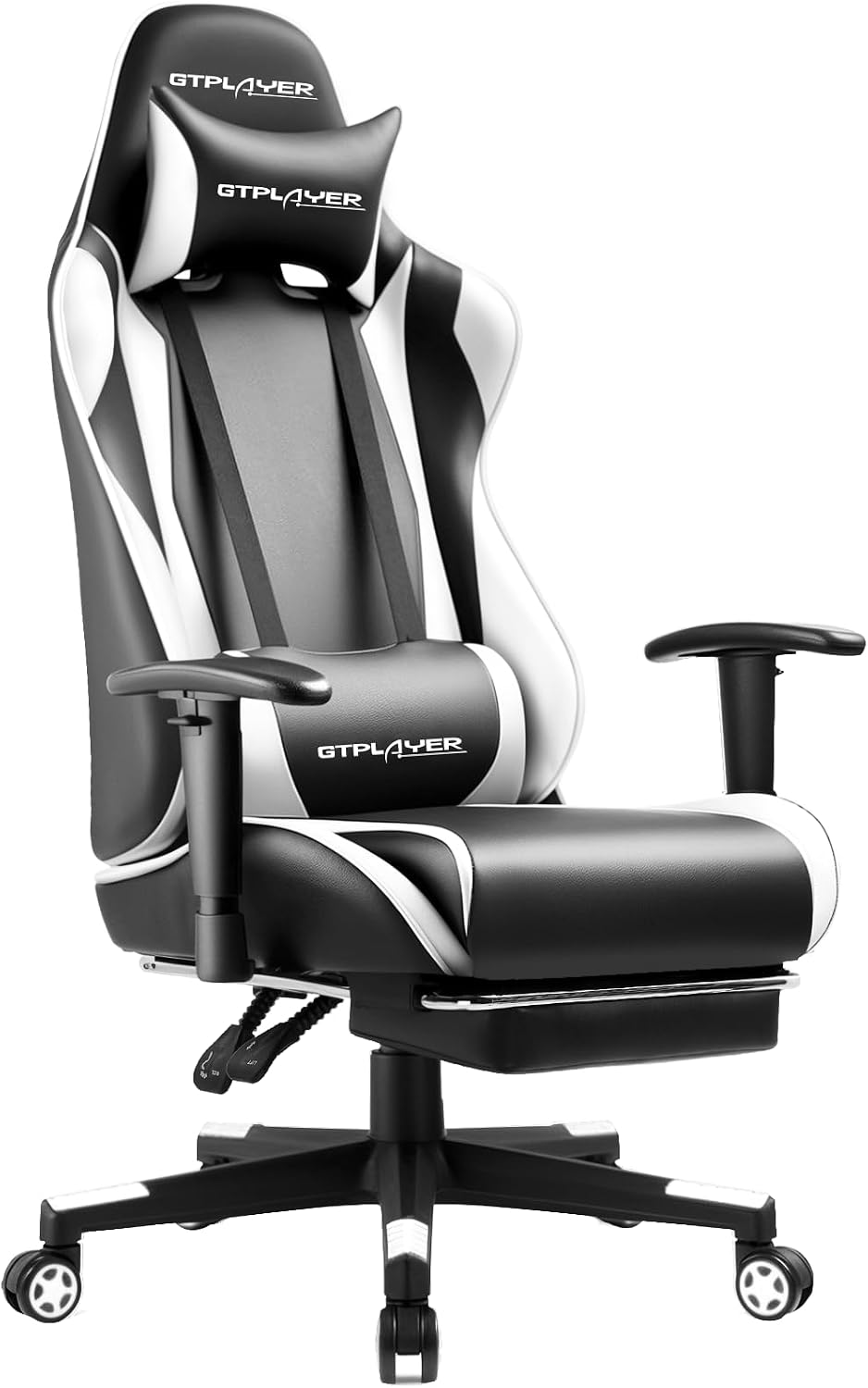
Best Value: GTPLAYER Gaming Chair with Footrest
Every setup has a first chair, and this is a fair one. You get a recline, a footrest, seat height adjustment, a swivel rocker base, and a headrest and lumbar pillow in white. The footrest is not a gimmick, by the way. If you take real breaks and lean back between matches, having somewhere for your legs to go keeps your hips from tightening up, which is half of why your lower back aches after a long night.
What you do not get here is the adjustability of a chair built for eight hour days. The racing style shape is the design I complain about most, because a bucket seat belongs in a car. On a desk it pushes your shoulders forward and gives you a curve you did not ask for. Use the lumbar pillow where it actually contacts your back rather than where it looks symmetrical, keep the recline modest, and this will carry a casual player through a season.
If you are a tall or heavy player, skip ahead. This is a starting point, not a forever chair.
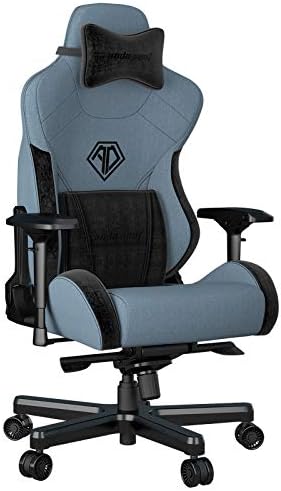
Best for Tall Players: Anda Seat T PRO 2
The XL sizing is the headline, and 4D adjustable PU armrests are the reason I would point a tall player here. Armrests that adjust up, down, in, out, angle, and slide are the difference between fits and fits you. If your armrests only go up and down, you either drop your shoulders to meet them or you float your arms above them, and both of those end up in your neck by hour three.
The 160 degree recline and rocker function give you somewhere to go during queue times, and a pillow headrest and lumbar support mean you have something to tune rather than a bare backrest. Fabric again, which is the right material call for a warm room.
The check I would run on this chair is the same one I run on every XL: seat depth. A long seat pan is comfortable for a long thigh and miserable for a short one, because the front edge digs into the back of your knee and you end up sliding forward to escape it. Sit with two fingers of space behind your knee. If you cannot get that, the chair is the wrong size no matter how good the lumbar is.
The Other Half: MojoDesk Electric Standing Desk
No chair fixes eight hours of sitting. That is the sentence I repeat to my players more than any other, and it is why a desk belongs in a chair guide. The MojoDesk is a dual motor sit to stand desk with a 60 by 27 inch top, 3 stage adjustable steel legs, four memory settings, and an ergonomic front edge in matte lux black.
The four memory settings are the feature that actually changes behavior. A desk you have to fiddle with is a desk you stop raising. Preset your seated height and your standing height, and the switch becomes a two second decision instead of a project.
Desk height also decides whether your chair works. If your desk is too high, you raise your seat to reach it, your feet leave the floor, and your lumbar curve collapses. If it is too low, you hunch. Getting the desk to your seated elbow height, and then getting up for twenty minutes out of every hour, does more for your back than any lumbar pillow on this list.
How I evaluate a gaming chair
I run every chair through the same list, and it has nothing to do with how it looks in a photo.
First, lumbar adjustability. If the support is a fixed bump, it is decoration. Second, tilt tension and a lock. A serious chair lets you lean back and stay there at the angle that supports you, not the angle the spring decides. Third, armrest range. If they do not move in at least three directions, they are armrests in name only. Fourth, seat depth against your own body, because this is the measurement people skip and the one they feel every day.
Then the materials question: fabric or mesh for long sessions, and leather only if you like sliding. Then the fit check, height and weight, because a chair rated below your numbers is a chair that wobbles in month six.
And finally, the only test that matters: would I let one of my players sit in this for a full scrim day? If the answer is no, it does not go on the list.
What actually breaks a chair
It is almost never the upholstery. It is the mechanism. A chair that develops a wobble after a few months has a base or a gas lift that was not built for the load, and no amount of tightening fixes it. That is why the heavy duty wide build on the Kaiser 3 matters, and why I am cautious about entry level rocker bases for bigger players.
The second failure is the fixed lumbar bump. It feels supportive for a week and then it becomes a pressure point in exactly the wrong place.
The third is one dimensional armrests. Players work around them by hunching, and hunching is the thing we are trying to avoid.
If you want the longer version of the posture reasoning behind all of this, I wrote it up in my lumbar support check.
Gaming chair fit and setup reference table
This is the table I keep when I am matching a player to a chair. The specifications below come from the product listings, so confirm the details on the product page before you buy. Your own height and weight decide the rest.
| Chair | Build and materials | Lumbar and neck | Armrests | Recline and base | Who it fits |
|---|---|---|---|---|---|
 Visit on Amazon → Anda Seat Kaiser 3 Large |
Heavy duty wide fabric seat | Lumbar support plus neck support | Check the product page | Reclining frame | Adults who want a wide, supportive seat |
 Visit on Amazon → Anda Seat T PRO 2 |
XL fabric build | Pillow headrest and lumbar | 4D adjustable PU | 160 degree recline, swivel rocker | Tall players who need armrest range |
 Visit on Amazon → GTPLAYER with Footrest |
White racing style build | Headrest and lumbar pillow | Check the product page | Recline, footrest, height adjustment | First setups and casual sessions |
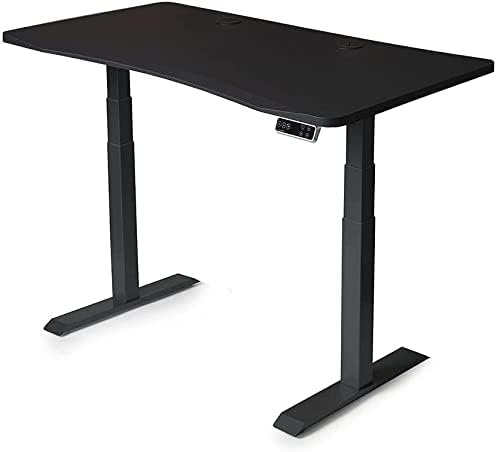 Visit on Amazon → MojoDesk Electric Standing Desk |
Dual motor, 3 stage steel legs | Not a chair | Not a chair | Four memory settings, 60 by 27 top | Everyone, because no chair fixes eight hours |
How to set the chair up once it arrives
Most people assemble the chair, sit down, and never touch it again. That is a waste of everything you paid for.
Set the seat height so your feet rest flat and your knees sit roughly level with your hips. Set the seat depth so there are about two fingers of space behind your knee. Set the lumbar so the curve lands on the natural arch of your lower back, which is usually around belt height, not the middle of your spine. Set the armrests so they meet your elbows with your shoulders relaxed, and set the tilt tension so the chair holds you rather than fights you.
Then use the desk. Sit for the first block of the day, stand for the next, and change position before your back asks you to. The chair is the tool. The movement is the treatment.
Should you buy the Anda Seat Kaiser 3 Large Gaming Chair?
If you are an adult player who wants a wide, heavy duty fabric chair with lumbar support and neck support, this is the one I would start with. Confirm that the lumbar moves before you commit, because that is the whole ballgame. Get that right and it is a chair you can sit in for a full day.
Should you buy the GTPLAYER Gaming Chair with Footrest?
For a first setup, yes. The footrest and the recline give you real break positions, and the price of entry is low. Just understand what you are buying: a starter chair with a racing shape, not a posture tool. Keep the recline modest and the sessions shorter.
Should you buy the Anda Seat T PRO 2?
For tall players, yes. XL sizing, 4D adjustable armrests, fabric, and a 160 degree recline cover the four checks I actually care about. Verify the seat depth against your own thigh length, and check the height and weight range before you order.
Should you buy the MojoDesk Electric Standing Desk?
Yes. It is the least exciting purchase in this guide and probably the most valuable. Four memory settings, dual motors, and a 60 by 27 top let you stand up before your back makes the decision for you.
Build the chair around your body, then build the habit around the chair. That is the setup that survives a season.