Every listing in this category reads the same way: ergonomic, high back, lumbar support, footrest, massage. The phrase gaming chair with massage and footrest tells you what is bolted onto the chair. It does not tell you whether the chair will still support your lower back at hour six of a long session. I coach players through full scrim days, and the chairs that get abandoned in the corner are rarely the ones with the longest feature list. They are the ones where the lumbar piece cannot be moved to the right spot, or the seat forces the hips forward.
This explainer takes four models that use almost identical marketing vocabulary and separates them by the details that decide whether you can actually sit in them: how the cushion is built, whether a capacity is stated, and what the extras do and do not do for your posture.
Related: How to Set Lumbar Height on a Gaming Chair →
Quick answer
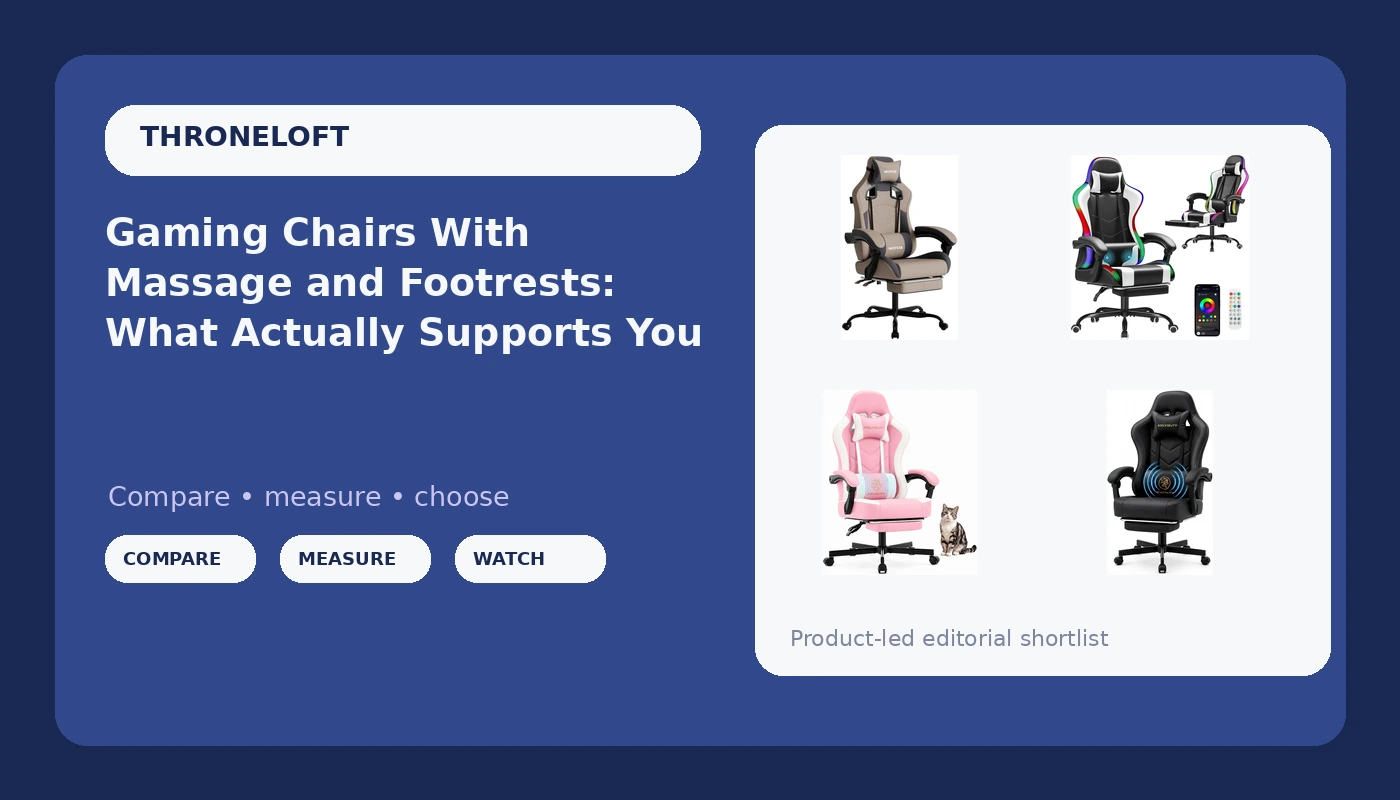
A gaming chair with massage and footrest is worth owning when the lumbar support adjusts and the tilt can be locked, because those two things decide whether a long session ends with a sore back. Among the four models here, the differences are mostly in the cushion and the stated capacity. The grey model is the only one of the four that lists a 300 lb capacity and a headrest. The Homall pairs massage lumbar support with RGB lighting. The Mistpeople and the black Office Desk model both list a pocket spring cushion, and only the black model lists massage together with pocket springs. A massage motor is a comfort extra, not a substitute for adjustable lumbar support, and a footrest only helps if the seat depth already fits your legs.
Four useful options
| Model | Best fit | What stands out |
|---|---|---|
| Gaming Chair with Massage,Ergonomic PC Gaming Chair with Footrest Comfortable Headrest and Lumbar Support, High Back, 300LBS (Grey) | Heavier players who want a stated capacity | Only model here with a listed 300 lb capacity and a headrest |
| Homall Gaming Chair, Ergonomic PC Chair, Massage Lumbar Support, RGB Lvory | Players who want massage plus lighting | Massage lumbar support and RGB |
| Mistpeople Gaming Chair, Ergonomic High Back Computer Chair with Footrest, Lumbar Support & Pocket Spring Cushion, Comfortable Swivel Home Office Desk Chair for Adults | Buyers who want a spring seat instead of plain foam | Pocket spring cushion with footrest and swivel base |
| Office Desk Computer Gaming Chair for Adults, Ergonomic High Back Gamer Chair with Massage and Pocket Spring Cushion, Swivel Comfy Video Game Chairs with Footrest and Lumbar Support (Black) | Buyers who want massage on a spring seat | Massage together with a pocket spring cushion |
The only stated 300 lb capacity: Gaming Chair with Massage,Ergonomic PC Gaming Chair with Footrest Comfortable Headrest and Lumbar Support, High Back, 300LBS (Grey)
A stated capacity is the one number in this category that is structural rather than decorative. The frame, the gas lift, and the base all have to carry it, so when a listing commits to 300 lb, that is the manufacturer putting a figure on paper. If you are a heavier player, that single line matters more than any lighting feature on the other three chairs. The headrest is the second thing to think about. A high back with a headrest feels right when the pad lands at the base of your skull, and wrong when it pushes your chin forward because the chair is too tall for your torso. Compare the seat height range against your own measurements before ordering. The trade-off is that massage here is a vibration motor inside the lumbar cushion. It is pleasant, and it does nothing for alignment. If the lumbar piece cannot be repositioned, the motor will not fix your posture.
Massage plus RGB: Homall Gaming Chair, Ergonomic PC Chair, Massage Lumbar Support, RGB Lvory
The Homall leans into the look, and there is nothing wrong with admitting that. RGB lighting is the headline extra and massage lumbar support is the second one, and neither of those keeps you sitting straight. Judge this chair on the rest of the package instead: the back angle, the seat, and whether the lumbar support can be moved up or down to land in the curve of your lower back. Lighting is a desk aesthetic decision. It is a fine reason to pick one chair over another, as long as it is not the only reason. The practical trade-off with any massage chair is the cable. A motor in the cushion needs power, which usually means a cord running from the chair to a port, and cords get yanked when you roll back. Decide where it plugs in before you commit.
Pocket spring cushion: Mistpeople Gaming Chair, Ergonomic High Back Computer Chair with Footrest, Lumbar Support & Pocket Spring Cushion, Comfortable Swivel Home Office Desk Chair for Adults
Pocket springs are the most interesting detail in this group. Rather than one block of foam, a pocket spring cushion uses individually wrapped coils under the upholstery, so each section of the seat compresses on its own. In seating, that usually means the cushion gives where your sit bones press and stays firmer under your thighs. That is a real construction difference from plain foam, and it is the kind of thing you notice at hour three rather than hour one. The trade-off is that springs are a wear item, and the listing does not state the foam density around them. This model also lists a footrest and a swivel base. A footrest earns its place if you recline, because it keeps your feet supported instead of dangling, but it does not change your lumbar curve. No capacity is stated for this chair, so confirm the limits on the product page.
Massage on a spring seat: Office Desk Computer Gaming Chair for Adults, Ergonomic High Back Gamer Chair with Massage and Pocket Spring Cushion, Swivel Comfy Video Game Chairs with Footrest and Lumbar Support (Black)
This is the model that stacks the two extras: massage and a pocket spring cushion, in black. If you want the vibration motor and the spring seat in the same chair, this is the one of the four that lists both, which makes it the natural comparison against the grey chair with the stated capacity. The same caveats carry over. The massage is a motor in the lumbar area, so it is comfort rather than support, and the lumbar piece still needs to be adjustable for the chair to hold up over a long session. The spring cushion is a genuine construction difference, but the listing does not state spring count, foam density, or a weight capacity, so those are questions for the product page. The footrest and swivel base round out the package. Choosing between this and the grey chair comes down to capacity and a headrest versus springs and massage together.
Prices and availability may change. Product images, names, and retailer links are matched to verified listings. No current price, rating, stock status, or measured result is stated here without current evidence.
What massage and lumbar support actually mean on a listing
Massage on a gaming chair is a vibration motor, usually one unit embedded in the lumbar cushion and powered over USB or a wall adapter. It buzzes. It can feel good after a long day. It is not therapy, it does not loosen a tight lower back the way movement does, and it cannot compensate for a lumbar piece that sits in the wrong place. Treat it the way you would treat a headrest: nice to have, never the reason the chair works.
Lumbar support is the part that matters, and the word is used for two very different things. The first is a fixed bump molded into the backrest. That bump is in one position, and it fits you only if your lower back happens to land there. The second is a genuinely adjustable piece, either a pad on a strap or a mechanism that slides up and down. Adjustable is the version worth paying for, because lumbar height is personal. It changes with your torso length, and it changes again when you recline.
The same logic applies to armrests. Armrests that only move up and down force your shoulders into whatever width the chair was built at. Armrests that adjust in more directions let you bring the support to your elbows instead of pulling your elbows to the chair. On an eight hour day, that difference shows up as tension between the shoulder blades.
How to check a chair listing in five minutes
- Measure yourself first. Sit against a wall and note the height of the curve in your lower back, plus the distance from the back of your knee to your hip. Those two numbers tell you where the lumbar pad should sit and how deep the seat can be.
- Read the lumbar description carefully. Look for language about height adjustment or a separate cushion. If the copy only says lumbar support with no mention of movement, assume it is fixed.
- Check whether the tilt locks. A chair that only rocks is a chair you cannot hold at a healthy angle when you are concentrating.
- Count the armrest directions. Up and down only is the minimum. More axes means a better chance of getting your elbows under your shoulders.
- Confirm capacity and return terms. If no weight capacity is stated, ask before you buy, and know how returns work in case the seat depth is wrong for your legs.
Fitting the chair to your body and your desk
- Set the seat height so your feet rest flat and your knees sit roughly level with your hips.
- Slide the lumbar pad to the small of your back, not the middle of your spine, and recheck it after you recline.
- Keep the tilt locked slightly open rather than fully upright, so your hips stay a little more open than a right angle.
- Pull the footrest out only when you recline. Used upright, it encourages you to slide forward out of the lumbar curve.
- Recheck your setup every few months. Foam compresses, springs soften, and a chair that fit in month one can drift out of fit by month twelve.
Which option should you choose?
Choose the Gaming Chair with Massage,Ergonomic PC Gaming Chair with Footrest Comfortable Headrest and Lumbar Support, High Back, 300LBS (Grey) when you want a stated weight capacity and a headrest, and you are willing to check the seat height against your own torso length. Choose the Homall Gaming Chair, Ergonomic PC Chair, Massage Lumbar Support, RGB Lvory when the look of the setup matters to you and you want massage lumbar support as part of it. Choose the Mistpeople Gaming Chair, Ergonomic High Back Computer Chair with Footrest, Lumbar Support & Pocket Spring Cushion, Comfortable Swivel Home Office Desk Chair for Adults when a pocket spring cushion is the detail that appeals to you and you want a footrest for reclining. Choose the Office Desk Computer Gaming Chair for Adults, Ergonomic High Back Gamer Chair with Massage and Pocket Spring Cushion, Swivel Comfy Video Game Chairs with Footrest and Lumbar Support (Black) when you want massage and a spring seat in the same chair.
One caveat applies to all four. Everything above comes from what each listing states, not from a measured test, and the listings do not publish foam density, spring count, or lumbar travel for every model. Where a capacity is not stated, treat it as unknown until you confirm it.
The bottom line
The extras are not the decision. A gaming chair with massage and footrest earns its place at your desk when the lumbar support adjusts, the tilt locks, and the seat depth matches your legs, because those are the things that decide whether your back is fine after a long session. Sort these four by what each one actually states: the grey model for a named 300 lb capacity and a headrest, the Homall for massage and RGB, the Mistpeople for a pocket spring cushion with a footrest, and the black Office Desk model for massage combined with pocket springs. Check the current price on the listing, confirm the dimensions and any capacity figure that is not published, and buy the chair that fits your body rather than the one with the longest feature list.