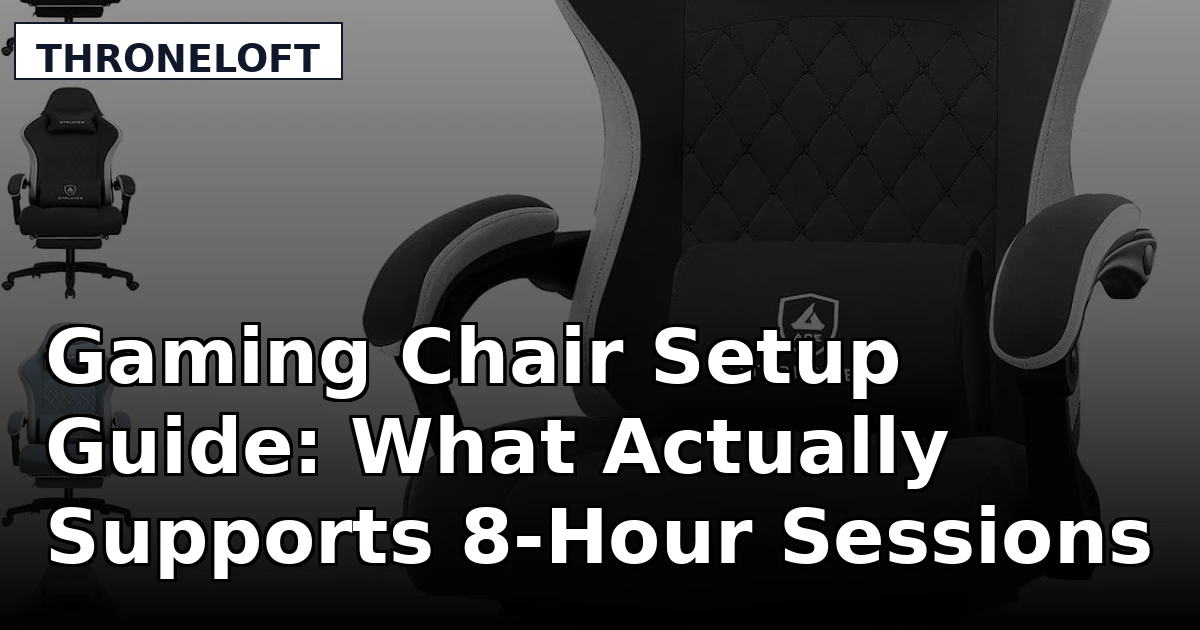
Most people shopping for a gaming chair compare the wrong things first. They look at colorways, logos, and whether the back looks like a race seat. The question that actually decides whether you can still sit upright at hour six is simpler: does the chair let you change the parts that need to change? An ergonomic gaming chair setup is built from three adjustable contact points, lumbar, seat depth, and armrests, plus a tilt you can lock at an angle that keeps your hips above your knees. Everything else is styling.
This explainer covers four very different pieces of gear: two gaming chairs at opposite ends of the price range, a motorized standing desk, and one item that has nothing to do with sitting at all. The last one matters more than it sounds. If your only plan for a long session is to stay in the same seat for eight hours, no chair will save you.
Related: Mesh vs Leather Gaming Chairs: Which One Survives a Los Angeles Summer →
Quick answer
Start with the chair, not the accessories. The GTPLAYER Gaming Chair is the lowest-commitment way to find out whether a high-back design with a footrest suits your room. The Anda Seat Kaiser 4 is the wide, heavy-duty build, and its manufacturer listing is the only one here that specifies 6D armrests. The Secretlab Magnus Pro XL is the standing desk option for people who want to change their sitting height through the day rather than fight one fixed position. The Freego X2Pro is the off-screen piece, an electric dirt bike for the hours you are not in the chair.
None of these is a shortcut around the real work, which is checking lumbar adjustability and seat depth against your own body before you buy.
Four useful options
| Model | Best fit | What stands out |
|---|---|---|
| GTPLAYER Gaming Chair | First chair, tighter budget, reclining with a footrest | Pocket spring cushion, linkage armrests, and a built-in footrest in one package |
| Anda Seat Kaiser 4 Large Gaming Chair | Taller or heavier players who need seat width | Large adult sizing, gray fabric upholstery, and 6D armrests per the listing |
| Freego X2Pro Electric Motorcycle | Off-screen recovery and trail riding between sessions | 6000W peak motor, 1800Wh battery, full suspension, UL 2849 certified |
| Secretlab Magnus Pro XL Electric Standing Desk | Anyone who wants to alternate standing and sitting | Motorized height adjustment in an XL footprint with a leatherette mat included |
The entry point: GTPLAYER Gaming Chair
Two things on this chair are worth thinking about before you order. First, "linkage armrests" means the armrests are tied to the recline mechanism, so they follow the backrest as it tilts. That is comfortable for lounging and watching something, but it is not the same as armrests you can set independently for height, width, and angle. If your priority is keeping your elbows at desk height while you play, linkage is a compromise.
Second, a footrest changes how you use a chair. It encourages a reclined position, which can be genuinely good for your lower back if the lumbar curve still lands in the right spot, and genuinely bad if the chair reclines past the point where your feet stay flat and your neck starts craning toward the monitor. The listing describes lumbar support, but it does not describe how much that support moves. That is the single question to answer before buying: is the lumbar piece adjustable, or is it a fixed bump sewn into the back? A fixed bump is decoration. An adjustable pad is support.
If you are early in a setup and want to learn what your body actually needs before spending more, this is a reasonable place to start, provided you accept that the armrests are not going to be the star of the show.
The wide-seat build: Anda Seat Kaiser 4 Large Gaming Chair
Armrests are the most underrated part of a chair and the one people notice last. Armrests that only go up and down force you to choose between shoulder elevation and elbow support. Armrests that move in several directions let you put the pad exactly under your forearm at the height your desk actually sits at, which is what keeps your shoulders down through a long session. The Kaiser 4 listing advertises 6D adjustment, which is more axes than most chairs at any price offer. Whether all six axes are useful to you depends on your desk height and how close you sit, but the range is there to work with.
Fabric is the other meaningful difference. A woven fabric surface breathes better than a smooth coated one, which matters if you play in a warm room or tend to run hot during tense matches. The trade-off is upkeep: fabric holds dust and shows wear differently than a wipe-clean surface. For anyone logging more than a couple of hours a day, the breathability is usually worth the cleaning routine.
The "large" sizing is a real consideration rather than a marketing word. A wide seat with a deep cushion can push a shorter player forward until their feet stop touching the floor properly, which defeats the whole point. Measure your inseam and your desk height before assuming bigger is better for you.
The off-screen piece: Freego X2Pro Electric Motorcycle
This is not a gaming product, and it does not belong in a chair comparison. It belongs in the conversation about why your back hurts, because the honest answer is usually that you have not stood up in four hours. Movement between sessions is the cheapest ergonomic upgrade available, and a bike that gets you outside is one way to guarantee you actually take the break instead of saying you will.
On the specs, treat the numbers as manufacturer claims rather than measured results. A 6000W peak motor and a claimed 50 mph top speed put this well beyond a casual neighborhood cruiser, and off-road riding at that speed carries real risk. The UL 2849 certification is worth noting because it applies to the electrical system, which is the part of an electric bike most likely to fail dangerously. If you are buying for a teenager, the sizing and the speed ceiling both deserve a serious conversation before the purchase, not after.
Buy this because you want to ride, not as a posture accessory. But if you are building a room where you sit for a living, having a reason to leave it is not a bad line item.
The desk that changes the equation: Secretlab Magnus Pro XL Electric Standing Desk
A standing desk does not make a bad chair good. What it does is break the single longest uninterrupted stretch of your day, the one where you sit through a full scrim block without moving. Even a modest schedule of standing for part of each hour changes the load on your lower back and gives the tissues that get compressed while seated a chance to recover.
The catch is that switching to standing introduces a new set of fit problems. Your keyboard and monitor need to be at different heights than they are when you sit, and if you simply raise the desk without adjusting the screen, you trade lower back strain for neck strain. Budget for a monitor arm or a riser at the same time you budget for the desk, or the standing mode will not get used.
The XL footprint is a genuine commitment. Measure your room before ordering, and measure it again with the desk at full standing height, because a large surface that rises high enough can block a window or crowd a doorway in ways that are not obvious from a floor plan. The included leatherette mat is a nice touch for a mouse surface, though it is a surface covering rather than a structural feature.
What actually makes a chair supportive
Support comes from adjustability, not from shape. A chair with a pronounced curve in the back looks supportive and often is not, because the curve sits where the designer put it rather than where your spine needs it. The three things that matter are whether the lumbar pad moves up and down and in and out, whether the seat depth can change so the front edge does not press behind your knee, and whether the armrests can be set to the height your desk demands.
Material follows adjustability. A breathable fabric surface keeps you cooler over a long session than a smooth coated one, which is why fabric chairs tend to get recommended for people who play daily. A firm seat holds its shape better than a soft one over years of use, even though the soft one feels better in the first week.
Seat depth, tilt tension, and the armrest question
Use this sequence when you evaluate any chair, in a store or from a listing:
- Sit all the way back so your hips are against the backrest, then check the gap behind your knees. Two to three fingers of clearance is the target.
- Find the lumbar pad and try to move it. If it does not move, treat the chair as having a fixed bump and weigh that accordingly.
- Set the seat height so your feet rest flat and your knees sit roughly level with your hips.
- Adjust the armrests until your forearms rest on them with your shoulders relaxed, not shrugged.
- Lock the tilt at an angle you can hold for an hour, and check that the tension is adjustable rather than preset.
If a chair fails step two or step five, the rest of the feature list stops mattering much.
How to check fit before you buy
- Measure your desk height first. A chair that cannot bring your elbows to that height will not work regardless of how it feels in the showroom.
- Check your seated eye level against the top of your monitor. If the chair sits you low, you will spend the session looking up.
- Weigh the armrest design. Independent adjustment beats linkage that only moves with the recline.
- Decide whether you want fabric or a coated surface based on how hot your room gets, not how the photos look.
- Read the size guidance against your own measurements, especially on large or wide models where the seat may be deeper than you need.
Which option should you choose?
Choose the GTPLAYER Gaming Chair when you want a high-back chair with a footrest at the lowest commitment, and you are willing to verify the lumbar adjustment before relying on it. Choose the Anda Seat Kaiser 4 Large Gaming Chair when you need a wide, heavy-duty seat and want the armrest range that the 6D design provides. Choose the Secretlab Magnus Pro XL Electric Standing Desk when the real problem is that you never change position, and you have the floor space for an XL surface. Choose the Freego X2Pro Electric Motorcycle when you want an actual reason to leave the chair between sessions, and you understand that it is a fast off-road machine rather than a toy.
One caveat applies across all four. The details above come from manufacturer listings, not from instrumented testing, and the motor, battery, and speed figures for the bike are the maker's claims. Fit is personal, and the only reliable test is matching the chair's dimensions and adjustment range to your own body and desk.
The bottom line
A gaming setup that supports you is built in a specific order. Get a chair whose lumbar, seat depth, and armrests can be adjusted to your body, then get a desk that lets you leave the seated position entirely for part of the day, and then find something that pulls you out of the room altogether. The GTPLAYER covers the basics at the entry level, the Anda Seat Kaiser 4 covers larger frames with the widest armrest adjustment here, the Magnus Pro XL solves the standing problem, and the Freego X2Pro solves the one nobody wants to admit, which is that the best posture fix is standing up.