Most people unbox a chair, bolt the arms on, sit down, and call it finished. Then hour four shows up, the lower back starts talking, and the chair takes the blame. I have coached players through ten-hour practice days, and I have watched a disc scare at 24 nearly end a career, so I will say it plainly: a gaming chair setup is not about the chair, it is about the four adjustments almost nobody makes.
Get the setup right and a mid-priced chair will hold you for a full scrim day. Get it wrong and a chair with adjustable everything will still put your hips behind your shoulders by hour two.
This is the order I run with my players, the checks I do before I recommend a chair at all, and two chairs that respond well to the process.
Why you should trust me
I am Jae, an esports coach in Los Angeles. Ten years of ten-hour practice days as a competitive FPS player, then full-time coaching after that. I have gone through more chairs than I have trophies: the one that collapsed mid-match, the one that gave me a herniated disc scare at 24, and a long parade of race-car-looking seats that felt like park benches by the second hour.
What changed my approach was a physical therapist who explained what support actually means, and a coach who told me flat out that chairs end careers. I took that seriously. Now I make my players sit properly, because back pain ends careers faster than bad aim.
My rules are simple. A chair is a chair first and a gaming product second. Lumbar support you can adjust beats lumbar support that looks cool. If it does not survive hour six, it is furniture, not a gaming chair.
What support actually means
Four things decide whether a chair will hold you for a long session, and none of them is the shape of the backrest.
Lumbar support. This is the curve that holds your lower back. Adjustable is mandatory. A fixed bump that happens to land at the right spot for one tester is decoration for everyone else. You want to move it up and down, and ideally in and out.
Seat depth. How far the seat extends. Too long and the edge digs into the back of your knees, which pushes your hips forward and rounds your spine. Too short and your thighs hang with no support under them.
Tilt tension and tilt lock. A serious chair lets you set the recline and lock it there. The healthy range for desk work is around 100 to 110 degrees, slightly open at the hip. A chair that only rocks freely and never locks is a chair that decides your posture for you.
Armrests. This is where cheap chairs give themselves away. Armrests that only go up and down cannot meet your elbows where they actually land. Three dimensions of adjustment is the floor, four is better, and 5D is the ceiling.
Mesh versus foam matters too. Mesh breathes. If you play more than two hours a day, and especially if you live somewhere warm, mesh is the difference between a dry back and a wet shirt at hour three.
How I judge a chair before I recommend it
I run every candidate through the same four questions. Is the lumbar support actually adjustable, or is it a pillow strapped to the back? Can I lock the tilt at an angle that keeps my hips open? Do the armrests adjust in at least three directions? And would my back still be fine after an eight-hour scrim?
Then comes the fit check, which is where most buying advice falls apart. Chair sizing is a height-and-weight question, not a style question. If the seat is too deep for your leg length, no amount of lumbar adjustment fixes it. If the weight rating is below your weight with gear, you are asking a frame to do something it was not built for. I will not recommend a chair without knowing both numbers.
The two chairs I would start with
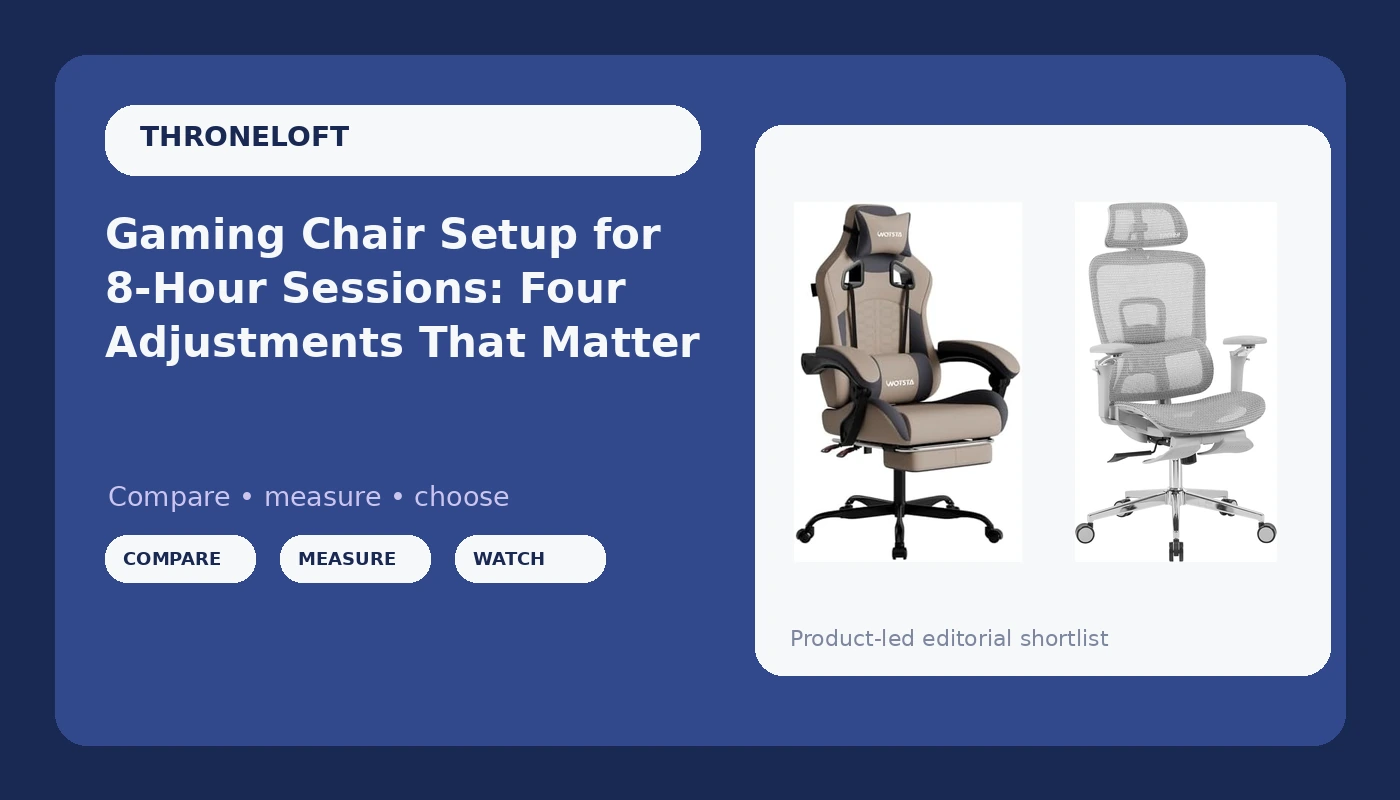
Both of these ship with a footrest, both are built for long sessions, and both respond well to the setup below. One is mesh, one is a high-back with a massage function, and they suit different bodies and different rooms.
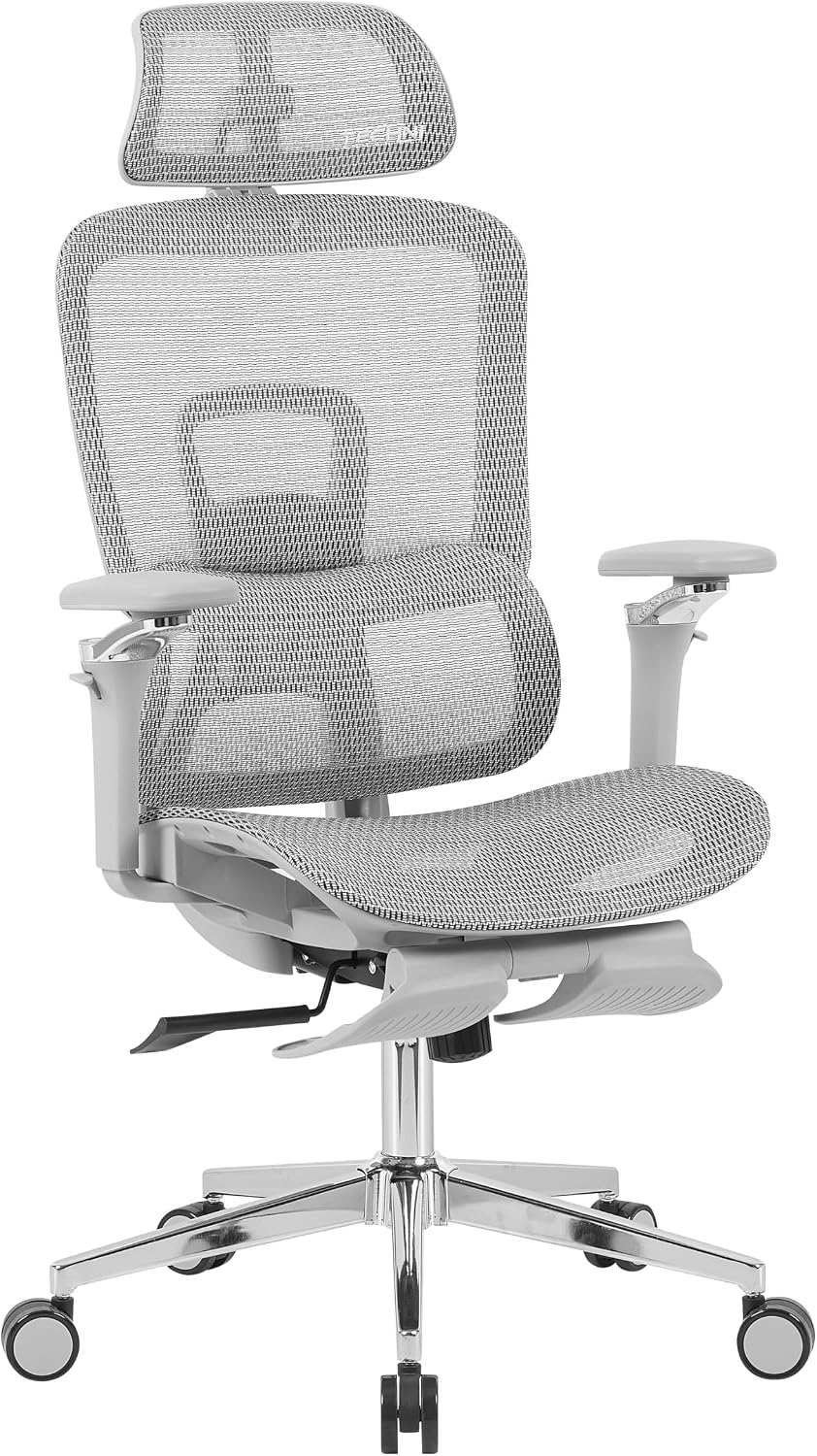
The mesh pick: Techni Sport Mesh PC Gaming Ergonomic Chair w/ 5D Armrest & Footrest
 Visit on Amazon →
Mesh back, ergonomic frame, 5D armrests, and a footrest. This is the one I would point a player at first, and the reason is the armrests. Five dimensions of adjustment is more range than most chairs at any price offer, and it means you can put the pad exactly under your forearm instead of chasing it with your shoulder. The mesh back is the second reason. It breathes, and it lets your back stay against the frame without trapping heat.
The footrest is for reclined breaks, not for typing posture. Use it when you lean back between matches to take pressure off your lower back, then put your feet back on the floor for actual work. Check current Amazon price.
Two things to know before you buy. Mesh tension is personal. Lighter players sometimes find a mesh back firmer than they expect, and heavier players sometimes find it softer. And 5D armrests have more joints than a 2D armrest, which means more hardware to keep tight. Check the armrest bolts after the first week of use, then once a month after that.
Flaws but not dealbreakers: A footrest on a mesh chair is a compromise. It is a nice break feature, not a replacement for getting up and walking around.
Anyone who runs long sessions in a warm room, and anyone whose shoulders never quite line up with a fixed armrest, should start here.
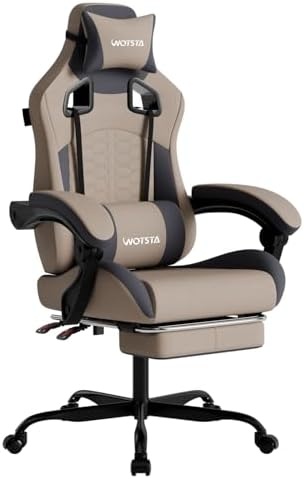
The high-back pick: Gaming Chair with Massage,Ergonomic PC Gaming Chair with Footrest Comfortable Headrest and Lumbar Support, High Back, 300LBS (Grey)
 Visit on Amazon →
This one gives you the full package: a high back, a headrest, a lumbar support, a footrest, a massage function, and a 300 pound weight rating. That rating is the headline for me, because it widens the fit range considerably and it usually signals a sturdier base and gas cylinder than the budget tier.
The headrest and the lumbar piece are the parts that matter for posture. The lumbar support needs to land at your belt line, not in the middle of your back. If it sits too high it pushes your upper back forward and flattens the natural curve of your lower back, which is the exact opposite of what you paid for. Slide it down until it fills the gap above your hips, and if it cannot be moved, treat that as a real limitation.
The massage function is a comfort feature, not a support feature. It does not hold your spine in neutral, and it is not a reason to skip the lumbar and tilt adjustments below. Think of it as a bonus for the ten minutes you lean back between games. Check current Amazon price.
Flaws but not dealbreakers: A high back with a thick fixed lumbar cushion can push you forward if the cushion is deeper than your spine's curve. Sit in it before you commit to a long session.
Anyone who wants a taller back, a headrest for reclined breaks, and a wider weight range should look here.
The setup order that actually works
Do these in order. Each step changes the one before it, so skipping around means redoing work.
Step one: seat height. Set it so your feet sit flat on the floor and your knees land at roughly 90 to 100 degrees. Your hip crease should be level with, or just above, your knees. If your knees sit higher than your hips, you are sitting in a bucket, and your lower back will pay for it.
Step two: seat depth. Sit all the way back so your spine contacts the backrest. You want two to three fingers of space between the back of your knee and the front edge of the seat. If your whole hand fits in that gap, the seat is too deep and you will slide forward all session. If there is no gap at all, the edge is cutting into your legs.
Step three: lumbar height. Find the natural inward curve in your lower back, roughly at belt line height, and put the lumbar support there. Adjustable lumbar goes up and down, and ideally in and out. Set the depth so it fills the curve instead of flattening it. If you feel pressure rather than support, it is too far forward.
Step four: tilt and lock. Recline to about 100 to 110 degrees, then lock it. That angle opens your hip and takes load off the discs in your lower back. Then set the tilt tension so you can lean back a little further with a light push and return without shoving yourself out of the chair. Too loose and you are fighting the chair all game. Too tight and you will stop leaning back at all, which defeats the point.
Step five: armrests. Drop your shoulders, let your arms hang, then bring the armrests up to meet your forearms. Elbows at about 90 degrees, forearms roughly parallel to the desk, shoulders down and relaxed. Use every axis you have. Move them in or out so your elbows stay under your shoulders rather than flaring wide, and angle them if your desk forces your hands inward. This is where 5D armrests earn their keep.
Step six: headrest. The headrest or neck pillow goes behind your neck, not behind the back of your skull. If it pushes your chin down toward your chest, it is too high and too thick. For desk work you should barely feel it. It exists for the reclined minutes, not for typing.
Step seven: footrest. Use it when you recline, and only then. Legs up, chair back, five or ten minutes between matches. Typing with your feet propped up puts your hips in a position your lower back was not designed to hold for hours.
Step eight: the break rule. No setup survives eight straight hours. Stand up every 45 to 60 minutes, even if it is for 90 seconds. Set a timer if you have to. My players hate it and they do it anyway, because the alternative is a back that stops cooperating at 24.
Mistakes I see in every scrim room
The bucket-seat racing shape is the big one. That design comes from a car seat, where the shell holds you against lateral G forces. At a desk there are no G forces, so the bolsters just push your shoulders forward and round your upper back. It looks fast and it sits badly.
The fixed lumbar bump is next. If it does not adjust, it fits one body type, and it is probably not yours.
Armrests that only go up and down are the third. If your elbows cannot land on the pads with your shoulders relaxed, you will spend the session holding your arms in the air without noticing, and your neck will file the complaint later.
Last, the wobble. A chair that rocks side to side after six months is a chair with loose hardware, and loose hardware on a chair you recline in is a safety issue, not an annoyance. Re-tighten the base and the armrest bolts on a schedule.
What this costs
Both of these sit in the same general band, and both are cheaper than the physical therapy I did not want to pay for. Check current Amazon price on each listing before you decide, because chair stock moves and so do prices.
The math I actually use with players is cost per session. Take whatever you pay, divide it by the number of days you expect to sit in it. Over three years of daily use that is a little over a thousand sittings, which makes the gap between the cheap chair and the right chair look small.
The bottom line
The chair is half the job. The setup is the other half, and it is free. Set your height, set your depth, put the lumbar support at your belt line, lock the tilt around 105 degrees, and get your armrests under your elbows. Then stand up once an hour.
Do that and you can sit through a full scrim day on a mesh chair with 5D armrests or a high-back with a headrest and a 300 pound rating, and your back will still be on your side at the end of it.