Related: How to Set Up a Chair for an 8-Hour Scrim Day
I have coached players through ten-hour practice days, and I have watched a bad chair end a career faster than a bad wrist. So when people ask me to rank gaming chairs for long sessions, I understand the question, but it is the wrong one. The right question is which chair fits your body, your desk, and the way you actually sit at hour six, when your posture falls apart and the chair either catches you or does not.
Four chairs are in front of me for this guide, and they split cleanly into two office-style picks and two gaming-style picks. That split matters more than any spec sheet. The chair that looks like a race car and the chair that looks like office furniture can both be good, but they are good at different things, and buying the wrong category is how people end up with back pain and a chair they stop using.
Here is how I break them down, and what to confirm in each listing before you spend anything.
The chair check I run before anyone sits down
Ten years of long practice days taught me what a seat does to a spine, and I paid tuition for that lesson with a herniated disc scare at 24. So every chair gets the same five questions.
First: is the lumbar support adjustable? A fixed bump that happens to land on your lower back is luck. A curve you can raise, lower, or push in is support. That is the difference between a chair that works for one body and a chair that works for a roster.
Second: can you lock the tilt? A chair that only rocks back and forth is a rocking chair with a brand on it. I want to set a slight recline, lock it, and hold a healthy angle for the length of a scrim block.
Third: do the armrests move in three dimensions or more? Up and down is a chair for a photo shoot. Up, down, in, out, forward, back, and angled is a chair for a player whose shoulders are already tight at hour four.
Fourth: where does the seat end? If the front edge digs into the back of your knees, the seat is too long and you will slide forward all day. If your thighs hang off the front, it is too short and your weight lands on your tailbone.
Fifth: does it wobble? I have watched a cheap base fail after six months of daily use. A chair that creaks is a chair telling you something.
Fabric over leather, every time, for anyone playing more than two hours. Your back will thank you in July.
That is the frame. Here are the four chairs and what each one is actually for.
Sweetcrispy Ergonomic Office Chair: The Desk-First Pick
The Sweetcrispy Ergonomic Office Chair is the one in this group that does not announce itself as a gaming chair, and for a lot of players that is the entire point. It is a computer desk chair with lumbar support, which means the geometry is aimed at someone sitting upright and working rather than someone reclining into a racing-style bucket.
That upright posture is not a downgrade. Most of my players spend the first half of a scrim day leaning in, watching a VOD, calling rotations. A desk chair shape supports that better than a bucket seat with wings that push your shoulders forward and put your neck somewhere it does not want to be.
What to verify before you buy: whether the lumbar support is adjustable or a fixed curve, and how the seat depth compares to your own leg length. Those two things decide whether a chair fits you or just fits the room.
The other thing I check on this style is the armrests. If they only go up and down, your elbows end up wherever the chair decides, and by hour four your shoulders are paying the bill.
Who it is for: the player who wants one chair for work, school, and ranked, and who does not need the room to look like a cockpit.
GTPLAYER Fabric Big and Tall Gaming Chair: The One Built for Bigger Players
Most "big and tall" labels are marketing. This one is at least specific: the listing rates the chair to 350 lbs, and the cushion is a pocket spring build rather than one slab of foam. Pocket springs are what you find in a mattress, and there is a reason for that. A slab of cheap foam takes a set after a few months and stops giving anything back.
Fabric matters here too. A fabric gaming chair runs cooler than a leather one, and if you are sitting for a long session in a warm room, that is not a small detail. It is the difference between a chair you stay in and a chair you peel yourself out of.
The high back and the footrest push this toward the reclined end of the spectrum, which is the mode I use for console nights and long viewing sessions rather than ranked play. Lumbar support is listed, so the question is the same one I ask about every chair: does it move, or is it a bump?
What to verify: whether the lumbar adjusts, how wide the seat actually is at the hips, and whether the armrests go beyond up and down. For a bigger player, seat width and armrest range are the two things that decide whether a chair is comfortable at hour one or only at hour six.
Who it is for: bigger and taller players who have been squeezing into chairs designed for someone else.
Ergonomic Office Chair with Adjustable Lumbar Support: The Adjustability Pick
Of the four, this is the one whose name leads with the feature I care about most. Adjustable lumbar support is not a nice-to-have on my list. It is the entry fee.
Here is why. Two players can be the same height and need the curve in different places. One has a long torso, one has a long femur. A fixed lumbar bump will be right for one of them and wrong for the other, and the wrong one will spend the day arching away from it. A curve you can raise and lower fits both.
The office chair shape also tends to mean a mesh-style back in this category, which is the material I recommend to anyone playing more than two hours. Air moves, sweat does not pool, and you are not stuck to the seat in July.
What to verify: the range of the lumbar adjustment, the armrest dimensions, and whether the tilt locks. Also check the seat depth against your own leg length, because an ergonomic chair with the wrong seat depth is just a chair with a nice back.
Who it is for: the player who has already decided their back is not negotiable, and wants the adjustability stated plainly instead of buried in a spec sheet.
Gaming Chair for Adults with Footrest, Arctic Black: The Footrest Pick
Not every session is a scrim. Some are three hours of a co-op campaign, or a console run where you are leaning back with a controller, and that is where a footrest earns its place. This chair lists one, and it also frames itself as an upgraded ergonomic chair rather than a racing seat, which is the framing I want to see.
The footrest is the feature people buy and then forget, until the first long reclined session. If you play console and PC from the same seat, it is the difference between a chair you sit in and a chair you live in.
But I still check the fundamentals first, because a footrest cannot save a chair with a bad back. Lumbar support that moves, a tilt you can lock, and armrests with real range are what keep you in the seat past hour two. The footrest is the bonus, not the reason.
What to verify: the lumbar adjustment range, the recline and lock behavior, and how far the footrest extends for your height. A footrest that stops short of your calves is a footrest you will never use.
Who it is for: the player who splits time between a desk and a couch and wants one chair to cover both.
The four chairs side by side
| Chair | Type | Lumbar support (as listed) | Footrest (as listed) | Best for |
|---|---|---|---|---|
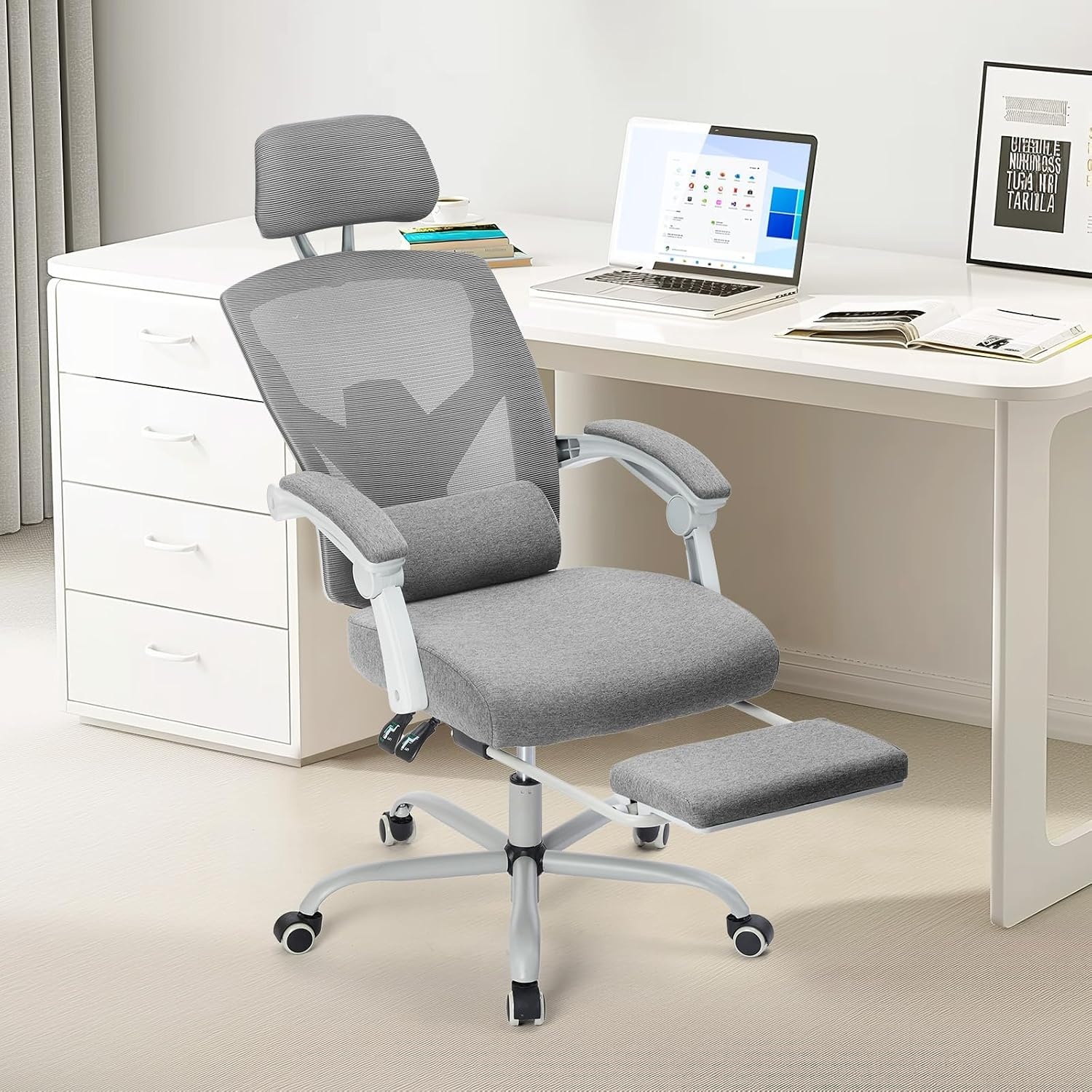 Visit on Amazon → Sweetcrispy Ergonomic Office Chair |
Office / desk | Lumbar support | Not listed | Work, school, and ranked in one chair |
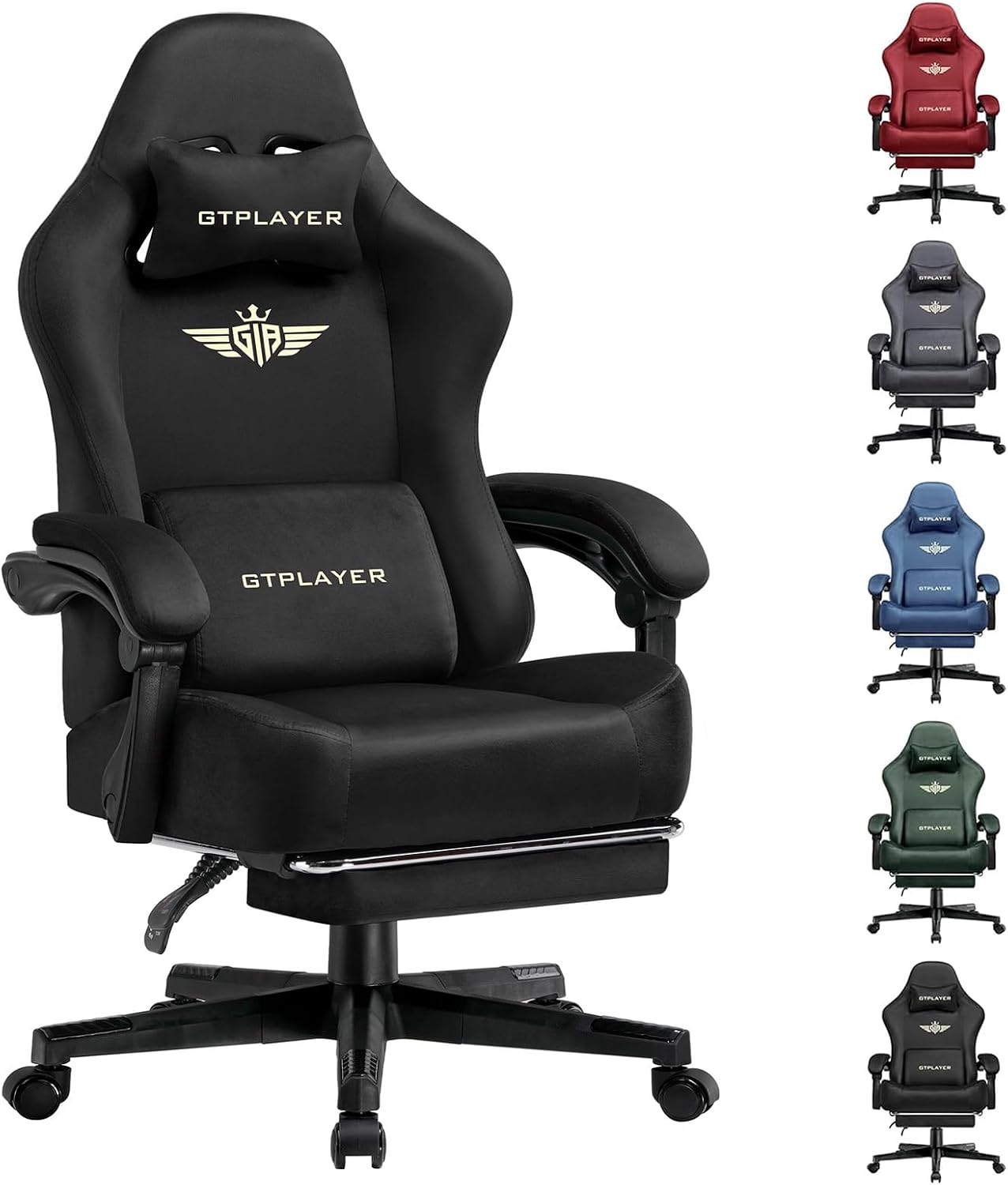 Visit on Amazon → GTPLAYER Fabric Big and Tall Gaming Chair |
Gaming, fabric, 350 lb rating | Lumbar support | Listed | Bigger and taller players |
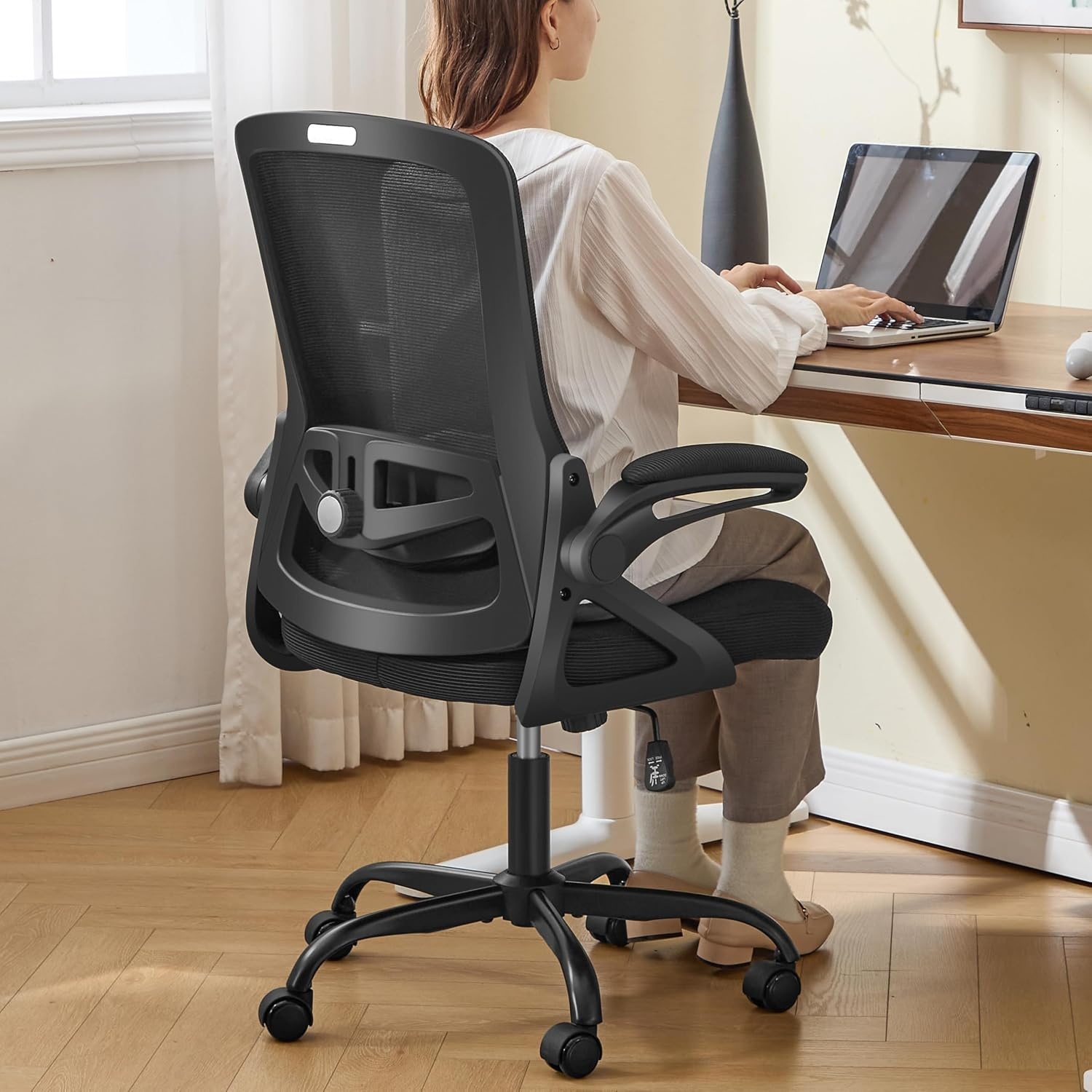 Visit on Amazon → Ergonomic Office Chair with Adjustable Lumbar Support |
Office / desk | Adjustable | Not listed | Players who need the lumbar curve to move |
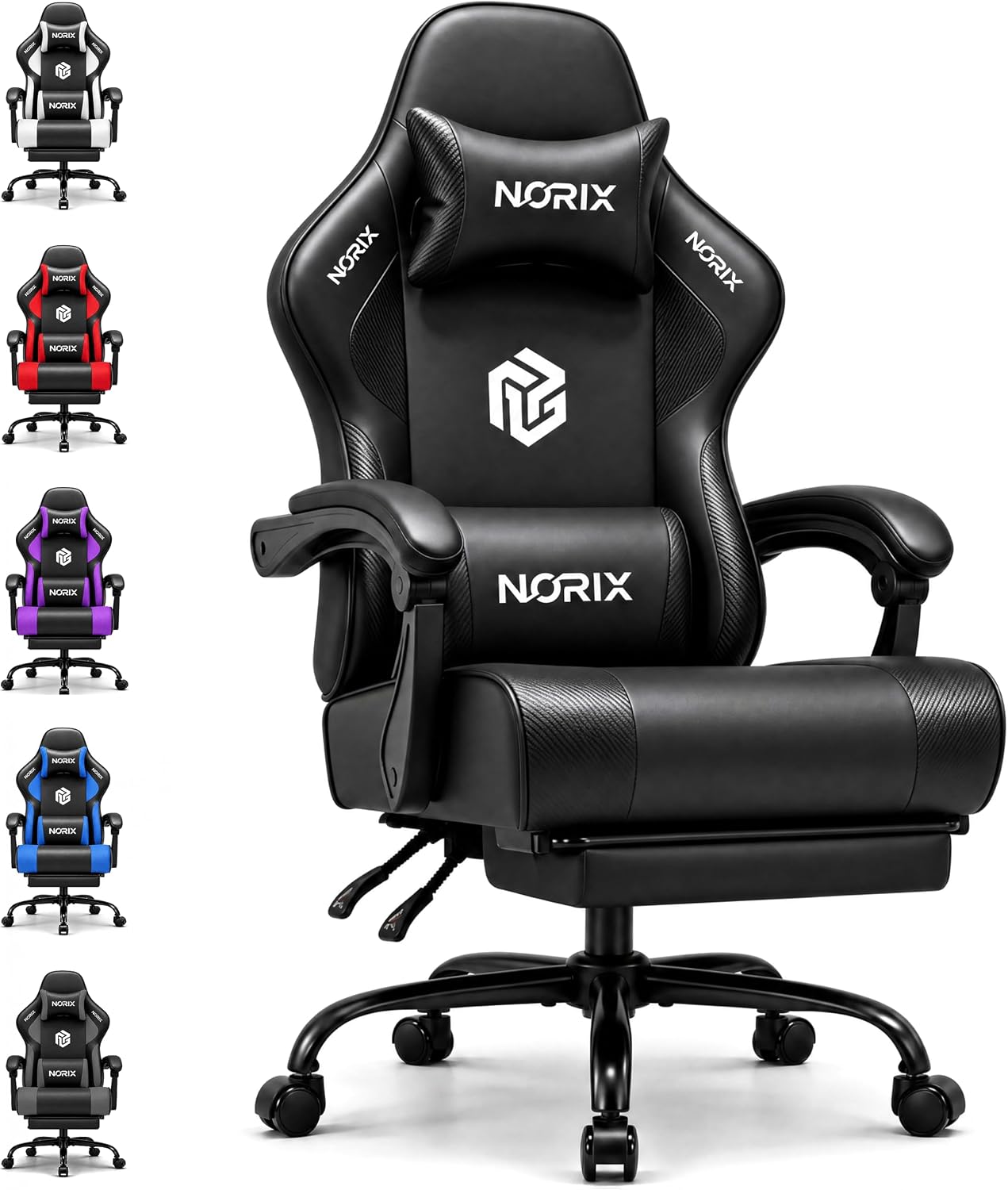 Visit on Amazon → Gaming Chair for Adults with Footrest, Arctic Black |
Gaming with footrest | Listed, see listing | Listed | Console and reclined sessions |
How to run your own fit check
The listing will not tell you whether a chair fits you, so run the check yourself in the store or in the first week at home while returns are still easy.
Sit all the way back, then notice where the lumbar curve lands. If it sits above or below your natural lower back curve, you need adjustability, or you need a different chair.
Check the front edge of the seat against the back of your knees. Pressure there means the seat is too long. A big gap means it is too short.
Set the armrests so your shoulders drop and your elbows rest without reaching. If the chair cannot reach that position, it is not adjustable enough for long sessions.
Lock the tilt at a slight recline rather than sitting bolt upright. Upright for eight hours loads your spine, and a locked angle keeps you honest when you get tired and start to slouch.
If you run hot, buy fabric. That single choice does more for hour six than any logo on a headrest.
Should you buy the Sweetcrispy Ergonomic Office Chair?
Yes, if you want one chair that covers work and ranked without making the room look like a cockpit. The lumbar support is the feature to confirm first, and the seat depth is the feature that decides whether it fits your body or just your desk.
It is a desk chair first, and that is exactly what most players need for the first four hours of a session. If you want a footrest and a reclined console mode, look at one of the gaming picks instead.
Should you buy the GTPLAYER Fabric Big and Tall Gaming Chair?
Yes, if you are bigger or taller than the chairs you have been squeezing into. The listing rates it to 350 lbs, the cushion is a pocket spring build, and the fabric runs cooler than leather over a long session.
Confirm the lumbar adjustment and the seat width at the hips before you commit, because those are the two things that decide your comfort past hour two. If you are average-sized and want a compact desk chair, this is more chair than you need.
Should you buy the Ergonomic Office Chair with Adjustable Lumbar Support?
Yes, if you have already learned that a fixed lumbar bump is a coin flip. This is the one in the group that leads with adjustability, and adjustability is my entry fee for any chair that gets used past hour two.
Still check the seat depth, the armrest range, and the tilt lock, because the back is only one part of the fit. If the armrests only move up and down, keep looking.
Should you buy the Gaming Chair for Adults with Footrest, Arctic Black?
Yes, if your sessions include reclined console or co-op time. The footrest is the feature that makes a long lean-back session possible, and the ergonomic framing is the right direction for a chair that also has to support you at a desk.
Check the lumbar adjustment and how far the footrest extends for your height before you buy. If you never lean back and never use a controller, the footrest will just be a feature you paid for and forgot.